
In the menu, you decide which products you offer and how they are presented to customers. A high degree of customization is allowed in how you set up your menu, and we are happy to help you with that.
The menu consists of 4 components:
- Categories
- Subcategories
- Products
- Add-ons
Categories
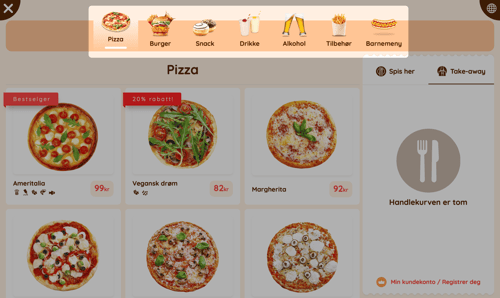
Categories are the main groups for your products. They allow you to organize your products and make the menu easy for customers to navigate. If a product does not have a category, it will not be displayed on the kiosks, in the online store, or at the staff register.
Subcategories
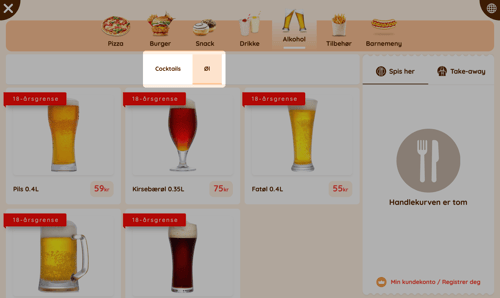
Subcategories work in the same way as categories, but they are placed within another category. We use this to make it easier to navigate categories with many products. An example of this could be having a main category for "Pizza", but using subcategories to separate "Italian Pizza" and "American Pizza".
Products
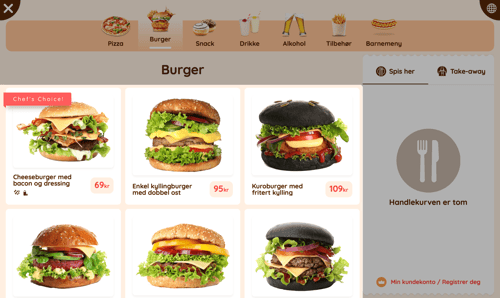
Products are the items you offer. They are presented with a name, a product image, price, description, and allergens. You decide the order in which the products are displayed, and you can highlight products as new, bestsellers, or limited-time offers as you wish. Products can also be clearly labeled as vegetarian, vegan, or spicy, so customers know exactly what they are ordering.
Add-ons
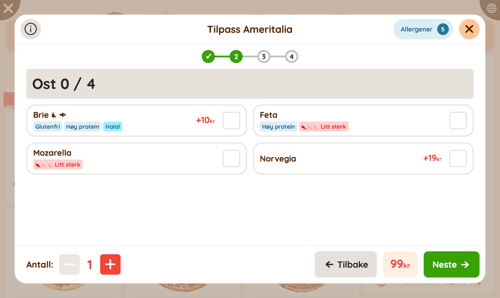
Add-ons are products that are offered together with another product. You use these to offer the customer drinks with their meal, side dishes, sauces, or similar items alongside the main product. Add-ons are also used for customizations, such as adding extra cheese to a burger, choosing between variations like a beef or chicken burger, or removing pickles.
Configuring the menu
To configure the menu, you use two programs: Extenda GO and nS3.no.
- To add new categories, products, and add-ons, as well as to make changes to product names, descriptions, prices, and product images, you use Extenda GO.
- To specify allergens, translations and kitchen language, change the order of products, highlight products, and customize the menu, you use nS3.
Questions? Contact us via
support@992.no